Why Do Illustrator Settings for Print Matter So Much?
It is a story we hear often in class: a visiting card looks great on the laptop, then comes back from the press flat and greyish, with a thin white line on one edge. Nothing was wrong with the design. The file was RGB, had no bleed and the shadow was set at screen resolution. Three settings, one wasted print run.
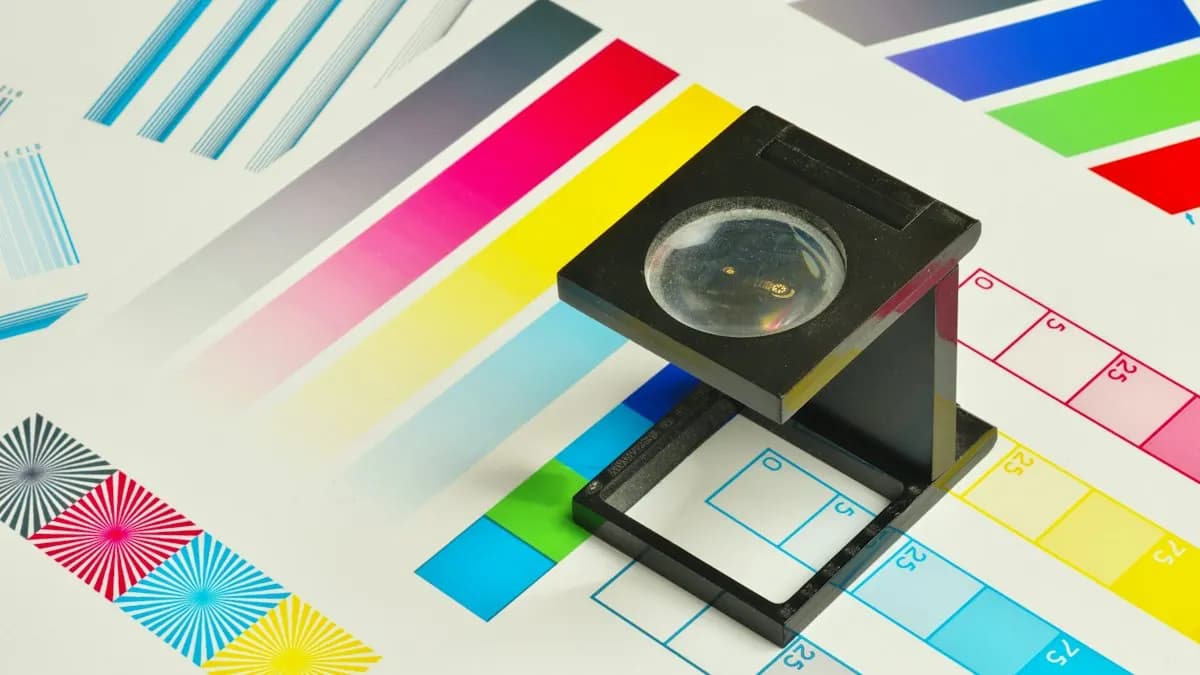
Screens make colour with light (RGB). Printers make it with ink (CMYK). Bright RGB colours, especially neon greens and blues, have no exact ink version, so they print duller. Illustrator lets you set this up correctly from the first click[1].
Which Settings Should You Pick When Creating a New Document?
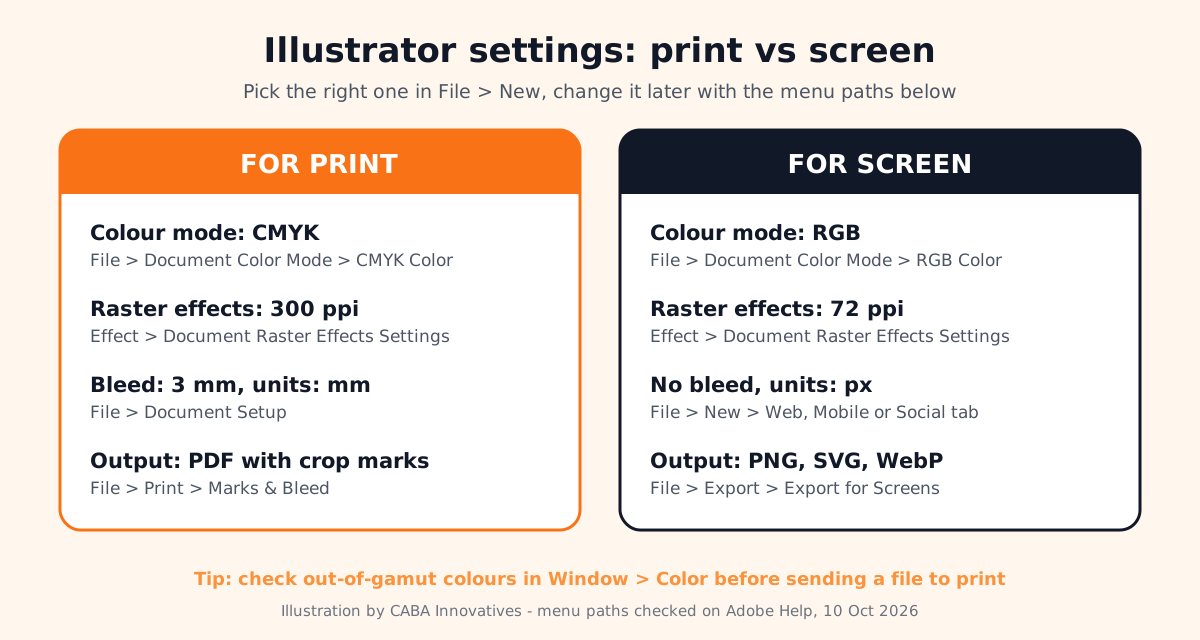
Go to File > New. The New Document dialog has category tabs such as Mobile, Web, Print, Social, Film & Video and Art & Illustration[1]. Pick the tab for where the work will end up, choose a preset, then check Preset Details on the right before you click Create.
| Setting | For print | For screen |
|---|---|---|
| Tab in File > New | Web, Mobile or Social | |
| Units | Millimetres | Pixels |
| Colour mode | CMYK | RGB |
| Raster effects | 300 ppi (High) | 72 ppi (Screen) |
| Bleed | 3 mm on all sides is common in India | 0 |
| Final file | PDF for the press | PNG, JPEG, SVG or WebP |
How Do You Change Colour Mode and Resolution in an Existing File?
- 11. Colour mode
File > Document Color Mode, then CMYK Color for print or RGB Color for screens. Adobe's help describes exactly this path[2].
- 22. Check colours that will not print
Open Window > Color. A small warning triangle next to a colour means it is out of gamut for CMYK. Click the warning to shift to the closest printable colour[2].
- 33. Raster effects resolution
Effect > Document Raster Effects Settings. Drop shadows, glows and blur are made of pixels. If an effect looks fine on screen but jagged in print, raise this resolution[3].
- 44. Bleed
File > Document Setup lets you change the bleed after the file is made. Extend background colour and images to the red bleed line.
- 55. Print preview
File > Print, then the Marks & Bleed section to add crop marks and include the bleed in the output[4].
What Are the Best Illustrator Settings for Screen and Social Media?
Use the Web, Mobile or Social tab, RGB and pixels. Instagram posts are commonly made at 1080 x 1080 or 1080 x 1350 px. When the designs are ready, File > Export > Export for Screens exports chosen artboards in formats such as PNG, JPEG, SVG, PDF and WebP, at several sizes, in one go[5].
For a logo, keep a master file in vector (AI and SVG) and export PNGs only for places that need them. SVG stays sharp at every size on a website.
Can You Use AI in Illustrator for Print Work?
Yes, with care. Set a bleed in File > Document Setup and Illustrator shows a Print Bleed button on the red bleed line. It uses Generative Expand to extend your artwork into the bleed and offers three variations in the Properties panel[6]. It is handy when a pattern or background stops short of the edge. Check the result at full zoom before you send the file: AI fill can add odd shapes that only show up on paper. ChatGPT is useful for a different job: ask it to write a print checklist for your printer's specs, then tick it off yourself. Our AI Photoshop prompts and finishing steps guide shows the same human-check habit for images.
Why Do Agencies and Printers Expect You to Know These Settings?
In a Delhi agency your design usually goes to a printer the same evening. Nobody re-checks the colour mode for you. A fresher who sends a print-ready PDF with bleed and the right colours saves a reprint and earns trust in the first month. File set-up questions are common in practical tests for graphic design jobs, along with the Photoshop basics in our Photoshop undo limit and history settings guide.
Which Illustrator Projects Should a Beginner Build?
- A visiting card in two versions: print-ready PDF with bleed and a screen version for WhatsApp.
- A logo pack: full colour, one colour and white versions, exported as AI, SVG, PDF and PNG.
- A social media set: 6 posts for one brand on matching artboards, exported with Export for Screens.
Worked example (project 1): File > New, Print tab. Set width 89 mm and height 51 mm (a common card size), CMYK, raster effects High (300 ppi) and 3 mm bleed on all sides. Keep text at least 4 mm inside the trim line. Extend the background colour to the red bleed line. Outline the text (Type > Create Outlines) on a copy of the file. Save as PDF for the press. Then duplicate the artboard, switch a copy of the file to RGB with File > Document Color Mode and export a PNG for WhatsApp. New to design? Start with graphic design course for beginners.
Why Does 1-to-1 Training Help With Illustrator?
Most Illustrator mistakes are invisible on screen and only show up on paper. In one-to-one training the trainer checks your file settings on your own projects, sends a test print and shows you what went wrong before a client sees it. You learn at your own pace, on work from your own field.
Our graphic design course in Delhi covers Photoshop, Illustrator, InDesign, Affinity by Canva and AI tools with real print and social media projects, in the classroom or live online. Premium 1-to-1 students get the "100% Job Guarantee on Premium 1-to-1" under written terms. Timings and fees are on the graphic design course page.
Frequently Asked Questions
What are the right Illustrator settings for print?
Use the Print tab in File > New with CMYK colour, millimetres, 300 ppi raster effects and a bleed (3 mm is common). Export a PDF for the press with crop marks and bleed included.
Should I use RGB or CMYK in Illustrator?
CMYK for anything printed, RGB for screens, websites and social media. Change it with File > Document Color Mode.
Where is Document Setup in Illustrator?
File > Document Setup. Use it to change the bleed and other document options after the file is made.
Why does my Illustrator file print blurry?
Usually an effect like a shadow or glow is rasterised at low resolution. Raise it in Effect > Document Raster Effects Settings, or the placed photo itself is low resolution.
Does CABA Innovatives teach Illustrator for print?
Yes. Illustrator file set-up for print and screen is part of CABA's graphic design course, taught on real projects. Details are on the course page.
References
- Create documents using presets in Illustrator- Adobe Help Center (Illustrator)
- Make colors printable or web safe in Illustrator- Adobe Help Center (Illustrator)
- How to apply effects in Illustrator (Document Raster Effects Settings)- Adobe Help Center (Illustrator)
- Set up documents for printing in Illustrator- Adobe Help Center (Illustrator)
- Export artboards and assets for screens in Illustrator- Adobe Help Center (Illustrator)
- Generate print bleed in Adobe Illustrator- Adobe Help Center (Illustrator)