Why Do Designers Make Logos in Illustrator?
A logo has to work on a WhatsApp profile picture, a visiting card, a flex banner and a shop board many feet wide. Illustrator makes vector artwork: shapes defined by points and curves, not pixels, so the same file stays sharp at every size. That is why studios, printers and brand teams expect logo files from Illustrator. It is also why a Photoshop-only logo usually comes back with a request to redo it.
If you have not set up Illustrator yet, read Illustrator settings for print and screen first. If your printer works in CorelDRAW, CorelDRAW vs Illustrator explains how to hand files over.
Step 1: Write the Brief Before You Draw
Most weak logos come from a missing brief, not missing skill. Ask the client five questions and write the answers down:
- What does the business do, in one line?
- Who are the customers? Age, area and what they care about.
- Which three words should people feel? For example: fresh, trusted, local.
- Where will the logo appear most? Instagram, packaging, signboard or uniforms.
- Which logos do they like or dislike? Why?
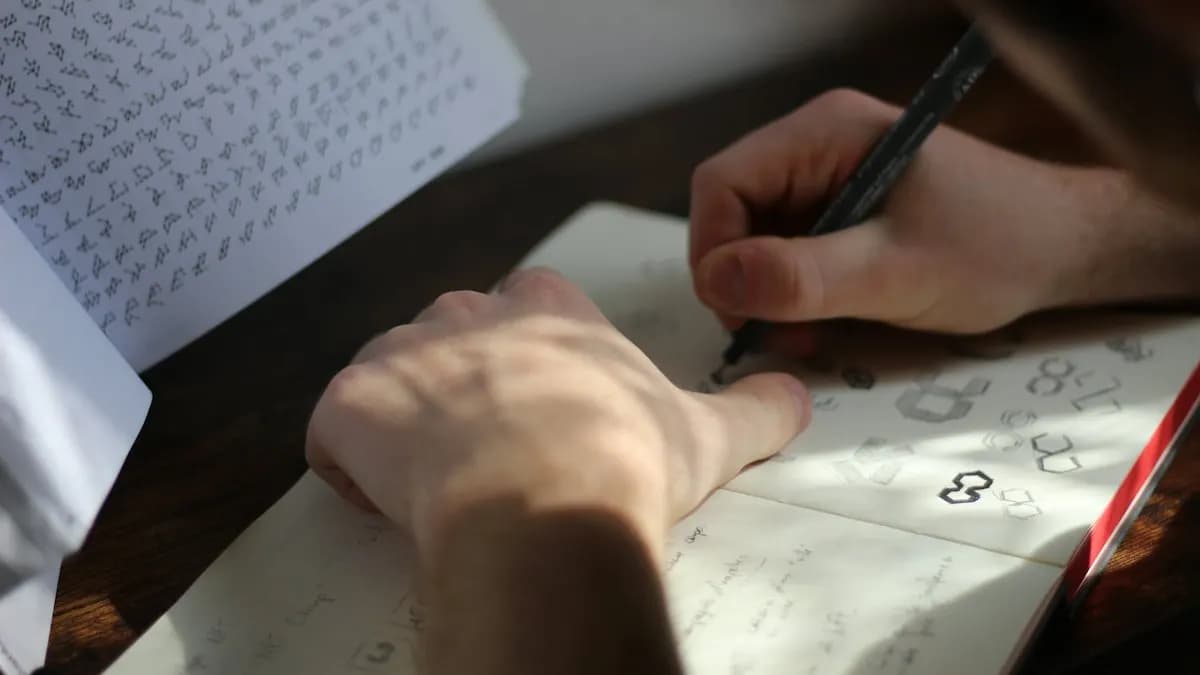
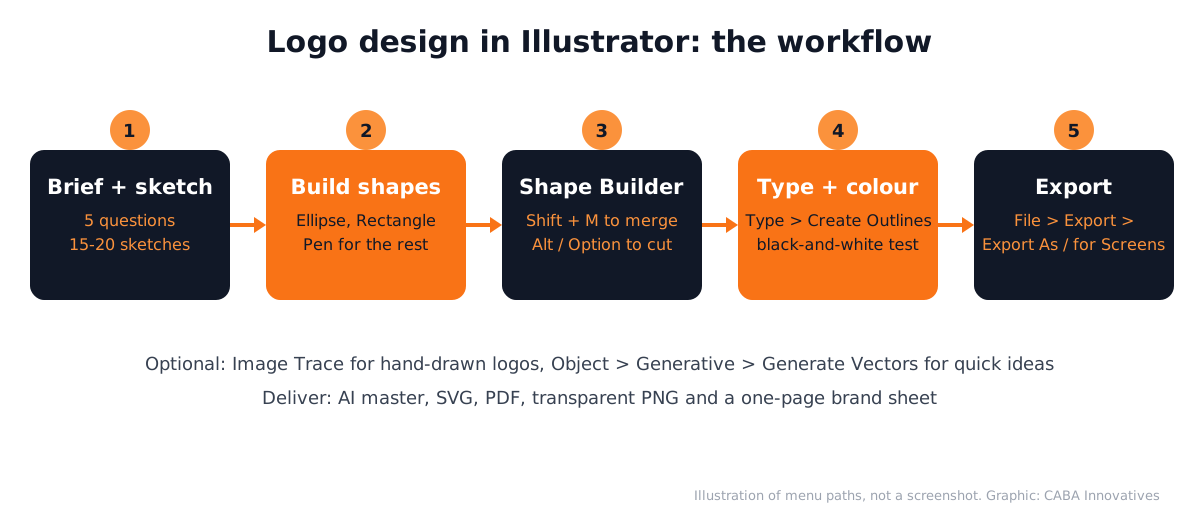
Then sketch 15 to 20 rough ideas on paper in 30 minutes. Pick the best 3 to 5. Only now open Illustrator.
Step 2: Build the Mark With Shapes and Shape Builder
- 1Set up the artboard
File > New, a square artboard (for example 1000 x 1000 px for screen use) and turn on Smart Guides so shapes snap neatly.
- 2Place your sketch
File > Place the photo of your sketch, lower its opacity and lock the layer so you can draw over it.
- 3Draw with simple shapes
Use the Ellipse, Rectangle and Polygon tools first. Circles and squares give cleaner curves than freehand drawing. Use the Pen tool only for the parts shapes cannot make.
- 4Merge with Shape Builder
Select the shapes, press Shift + M and drag across the areas you want to join. Hold Alt (Windows) or Option (macOS) and click an area to delete it[1].
- 5Check the curves
Zoom in to 800% and look for wobbly points or tiny gaps. Fewer anchor points usually mean a cleaner logo.
Step 3: Type, Colour and the Black-and-White Test
- Type: try three or four fonts, then adjust the spacing between letters by hand. Once the client approves, keep an editable copy and make a second copy with the text converted to outlines (Type > Create Outlines) for sending to printers.
- Black and white first: if the logo does not work in one colour, colour will not save it. Printers, stamps and embroidery often use one colour.
- Colour: pick two or three colours that match the brief. Note the values for screen (RGB / HEX) and print (CMYK).
- Small-size test: shrink the logo to the size of a phone app icon. If parts disappear, simplify.
Using Image Trace and Text to Vector Graphic (With Care)
Image Trace turns a scanned hand drawing into vector shapes. Adobe's Image Trace panel offers presets such as Black and White and Outline, plus Threshold and Colors sliders to control detail[2]. It is good for hand-lettered or brush logos. Always clean up the traced points afterwards; a raw trace has too many of them.
Text to Vector Graphic is Illustrator's generative AI feature. Draw a rectangle, select it and choose Generate Vectors in the Contextual Task Bar (or Object > Generative), then type a prompt. The Content type option Icon makes low-detail artwork without a background, meant for icon sets and logos[3]. Use it to explore ideas quickly, then redraw and refine the chosen direction yourself so the logo is original and clean.
Why the redraw matters: a logo is a business's identity. Clients and printers expect clean, original vector paths and a designer who can explain every curve.
Step 4: Export the Files a Client Needs
Choose File > Export > Export As, pick a format and tick Use Artboards to export each artboard as a separate file. For many sizes at once, File > Export > Export for Screens is faster; PNG and JPG exports run in the background while you keep working[4].
| File | Use it for |
|---|---|
| AI (editable master) | Your own future edits |
| SVG | Websites and apps; sharp at any size |
| Printers and print shops | |
| PNG with transparent background | Social media, presentations, WhatsApp |
| One-page brand sheet | Colours, fonts and the dos and don'ts |
Portfolio Projects for Logo Design (With a Worked Example)
- Local shop logo with a small brand kit: logo, colours, fonts and a signboard mockup.
- Redesign of an old logo: keep what customers recognise, clean up the rest and show before and after.
- Logo plus animation: take your logo into After Effects; our guide to logo animation in After Effects shows how.
Worked example (hypothetical): say a tea stall in Laxmi Nagar wants a logo for cups and an Instagram page. The brief: quick, warm, local. You sketch a kulhad with steam shaped like the first letter of the name. In Illustrator you build the kulhad from an ellipse and a rectangle, merge them with Shape Builder, draw the steam with the Pen tool and set the name in a bold rounded font. It passes the black-and-white test on a cup print. You export an SVG for the menu board, a PDF for the cup printer and a transparent PNG for Instagram.
Logo Work in Real Jobs and Where AI Fits
Logo and brand work shows up often in design listings. On 24 October 2026 Internshala listed 109 work from home graphic design internships. One of them, for a food brand, asks the intern to design and refine the logo, brand guidelines and label and packaging templates in Illustrator, lists artificial intelligence and Claude among the skills and shows a stipend of ₹13,000 to ₹20,000 a month[5]. Logo work is rarely alone: it usually comes with the brand kit and packaging.
In daily work, designers use ChatGPT, Claude or Gemini to brainstorm names and word lists from the brief, Text to Vector Graphic for quick idea sketches and Adobe's AI assistant (public beta since June 2026) for repetitive resizing. What the human still decides: the concept, the final shapes, the type, the colours and whether the logo is original. CABA's courses now teach AI and agentic AI workflows inside the curriculum, always with a human check.
Why 1-to-1 Training Helps With Logo Design
Logo design looks simple and is not. The hard part is judgement: which sketch to build, which curve is off, why a font feels wrong. In 1-to-1 training a trainer sits with your file and points at the exact anchor point or spacing issue, which is hard to learn from videos. If you are learning alongside college, read graphic design for college students for a timetable that works.
Our graphic design course in Delhi covers Illustrator, Photoshop, InDesign, Canva and AI tools, with logo and brand projects in your portfolio. It comes with a 100% Job Guarantee; read the job guarantee terms. See the month-by-month plan on the graphic design course page.
Frequently Asked Questions
Is Illustrator good for logo design?
Yes. Illustrator creates vector artwork that stays sharp at any size, which is why studios and printers expect logo files from it.
What size should a logo be in Illustrator?
Vector logos have no fixed size, because they scale without losing quality. A square artboard such as 1000 x 1000 px is a common starting point for screen use; export larger files when needed.
Can I make a logo in Illustrator with AI?
Illustrator's Text to Vector Graphic can generate icon-style ideas from a prompt. Use it to explore, then redraw and refine the logo yourself so it is clean and original.
Which tool merges shapes for a logo in Illustrator?
The Shape Builder tool (Shift + M). Drag across areas to merge them and hold Alt or Option to delete areas.
Which files should I give a client after logo design?
An editable AI file, SVG for web, PDF for print, transparent PNG for social media and a one-page sheet with colours and fonts.
References
- Create shapes using the Shape Builder tool- Adobe Help Center
- Image Trace panel options in Illustrator- Adobe Help Center
- Generate scenes, subjects and icons (Text to Vector Graphic)- Adobe Help Center
- Export artwork- Adobe Help Center
- Graphic Design Work From Home Internships (listings viewed 24 October 2026)- Internshala