Motion Graphics Software List: What Each Tool Does
| Software | What a motion designer uses it for | Priority |
|---|---|---|
| Adobe After Effects | Animating text, shapes, logos, infographics and titles; keyframes, easing, expressions, tracking | Must learn |
| Adobe Illustrator | Vector logos, icons and characters, prepared in layers for animation | Must learn |
| Adobe Photoshop | Image clean-up, compositing and layered artwork | Must learn |
| Adobe Premiere Pro | Editing the full video, adding motion graphics, captions and exports | Must learn |
| Adobe Audition | Cleaning voice-overs, music and sound effects | Useful |
| AI image and video tools | Ideas, backgrounds, rough 3D elements and repeat tasks | Useful, with a human check |
| Dedicated 3D apps | Full 3D modelling and animation | Separate career path |
If you want to know what the job itself involves day to day, read what does a motion graphics designer do. This article stays with the software.
Why After Effects Is the Core Motion Graphics Software
After Effects is where things move. You set keyframes, shape the speed of each move, animate text and build loops. Most Delhi job posts for motion work name it directly. Our After Effects for beginners guide covers the first steps.
After Effects also connects to Premiere Pro. You can build a title or lower third once, save it as a Motion Graphics template and let an editor change the text inside Premiere Pro without opening After Effects[1]. Studios use this to keep one look across many videos.
Which Software Should You Learn First?
- Step 1: Illustrator and Photoshop. You cannot animate a logo or poster you cannot design. Clean, layered files make animation easy.
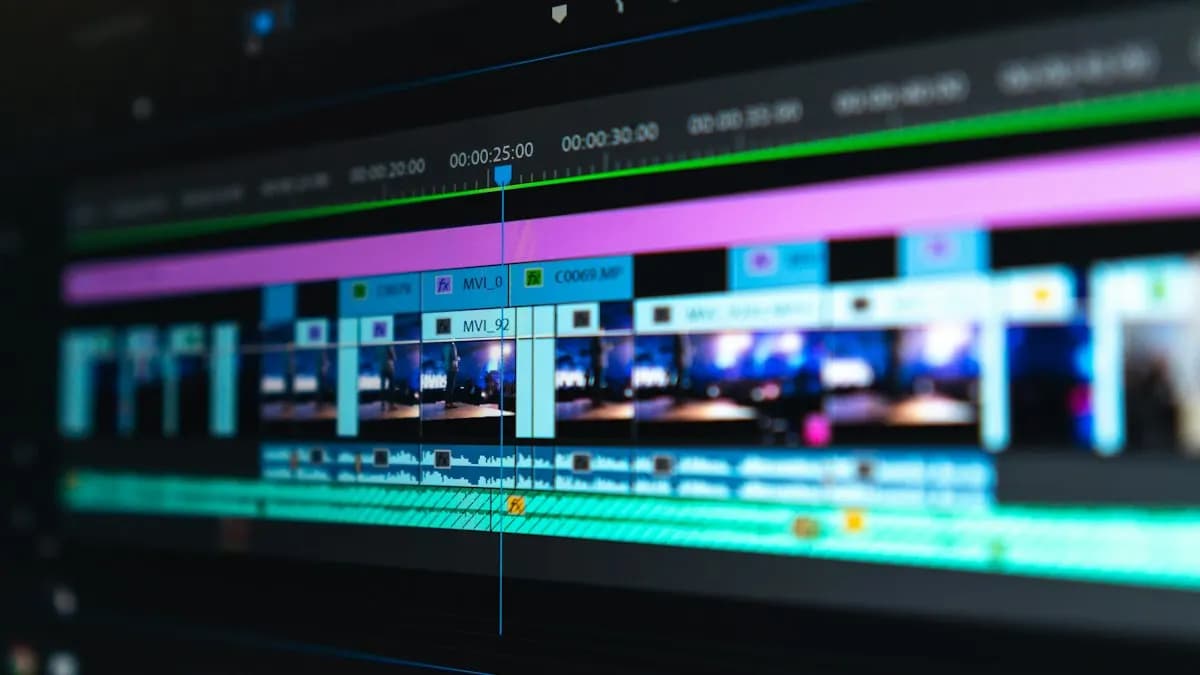
- Step 2: Premiere Pro. Basic editing teaches timing, pacing and exports for YouTube and Reels.
- Step 3: After Effects. Keyframes, easing, shape layers, text animation, then expressions and tracking.
- Step 4: Sound and AI tools. Clean audio in Audition and use AI for drafts and repeat tasks.
This is also the order of our motion graphics course in Delhi: design and branding in months 1 to 4, editing and After Effects basics in months 4 to 6, advanced After Effects and AI in months 6 to 8 and studio production and portfolio after that.
What About 3D Software?
Full 3D modelling uses separate 3D programs and is a career of its own. Many motion designers today do not build 3D models from scratch. They create 3D-looking elements with AI tools, then animate and composite them in After Effects and finish in Premiere Pro.
That is the approach we teach; CABA's course does not teach 3D modelling software. Read 3D motion graphics with AI and After Effects for how that workflow looks.
Which Software Do Employers Ask For?
Internshala's Delhi motion graphics listings on 5 November 2026 showed this pattern[2]:
- Senior Video Editor at a car care brand (Delhi): Reels and Shorts; Photoshop, Premiere Pro, After Effects and colour grading; 1 year of experience; ₹3.5 to 4.2 lakh a year.
- AI Video Editor at an ayurveda brand (Delhi): video ideas and scripts with AI tools, generative AI, motion graphics and animation; 1 year; ₹3 to 3.6 lakh a year.
- Junior Video Editor at a media startup (Delhi): Photoshop, Illustrator, Premiere Pro and AI video and image generation; 1 year; ₹2 to 3.2 lakh a year.
After Effects and Premiere Pro appear most often, Photoshop and Illustrator next and AI generation skills are now listed in their own right. Typical motion graphics pay as you grow:
| Stage | Motion graphics designer pay per month (Delhi NCR) |
|---|---|
| Fresher | ₹15,000 to ₹18,000 |
| After 1 year | ₹28,000 to ₹32,000 |
| After 3 years | ₹40,000 to ₹45,000+ |
For the full career picture, see is motion graphics a good career.
AI and Agentic AI in Motion Graphics Software
Adobe has added AI across its apps. Its Creative Agent and the AI Assistant in Photoshop, Illustrator and InDesign can carry out several steps from one typed request, announced in June 2026[3]. Motion designers use AI to draft style frames, extend backgrounds, make rough 3D elements and clean audio.
What the human still decides: the story, the timing, the brand rules and whether each AI element looks right when it moves. AI images often break when animated, so you still fix them by hand. CABA's courses now teach AI and agentic AI workflows inside the curriculum, with a human check on every frame.
Learn the Software in the Right Order
Learning seven programs alone can feel slow. A trainer who shows how they connect saves months. Our motion graphics course covers Illustrator, Photoshop, InDesign, Affinity by Canva, Premiere Pro, After Effects, Audition and AI tools, with a project at the end of each stage. It comes with a 100% Job Guarantee; read the job guarantee terms first.
Building a showreel next? Read motion graphics for Reels for short-form work clients ask for most.
Frequently Asked Questions
Which software is used for motion graphics?
Adobe After Effects is the main motion graphics software. Designers also use Illustrator and Photoshop for artwork, Premiere Pro for editing and AI tools for drafts and repeat tasks.
What is the best software for motion graphics for beginners?
Start with Illustrator and Photoshop to make clean artwork, then learn After Effects. Most job posts in India ask for After Effects and Premiere Pro.
Can I do motion graphics without After Effects?
Some simple animation is possible in other apps, but most studios and agencies in India expect After Effects, so it is worth learning.
Do I need 3D software for motion graphics?
Not at the start. Many motion designers create 3D-looking elements with AI tools and animate them in After Effects. Full 3D modelling is a separate path.
Is AI replacing motion graphics software?
No. AI tools draft images and elements, but timing, story and final polish are still done by a designer in After Effects and Premiere Pro.