What Is Kinetic Typography in After Effects?
Kinetic typography means moving text. Each word pops, slides, scales or fades in step with a voice-over or a beat. You see it in Instagram Reels with big bold captions, in product ads that flash prices and offers and in explainer videos where key words land as the speaker says them.
Clients like it because many people watch with the sound off and still get the message. For a motion designer it is a good place to start: there are no characters to rig and no 3D, only type, timing and layout. If you are new to the software, read After Effects for beginners first.
How Do Text Animators and Range Selectors Work?
Adobe's help explains text animation in three steps: add an animator to choose which property changes, use a selector to say how much each character is affected and then adjust the animator values[1]. In practice:
- Animator. Choose Animation > Animate Text (or use the Animate menu next to the text layer in the Timeline) and pick Position, Scale, Rotation, Opacity, Blur, Tracking or another property.
- Range Selector. Every animator comes with one. Its Start, End and Offset decide which characters are affected at any moment.
- Based On. Under the selector's Advanced settings, choose Characters, Characters Excluding Spaces, Words or Lines. Words is usually right for kinetic typography.
- Units. Switch Units to Index to count in characters instead of percent, which helps with exact timing.
- Wiggly Selector. Add one for a random jitter on selected letters, useful for energetic music edits.
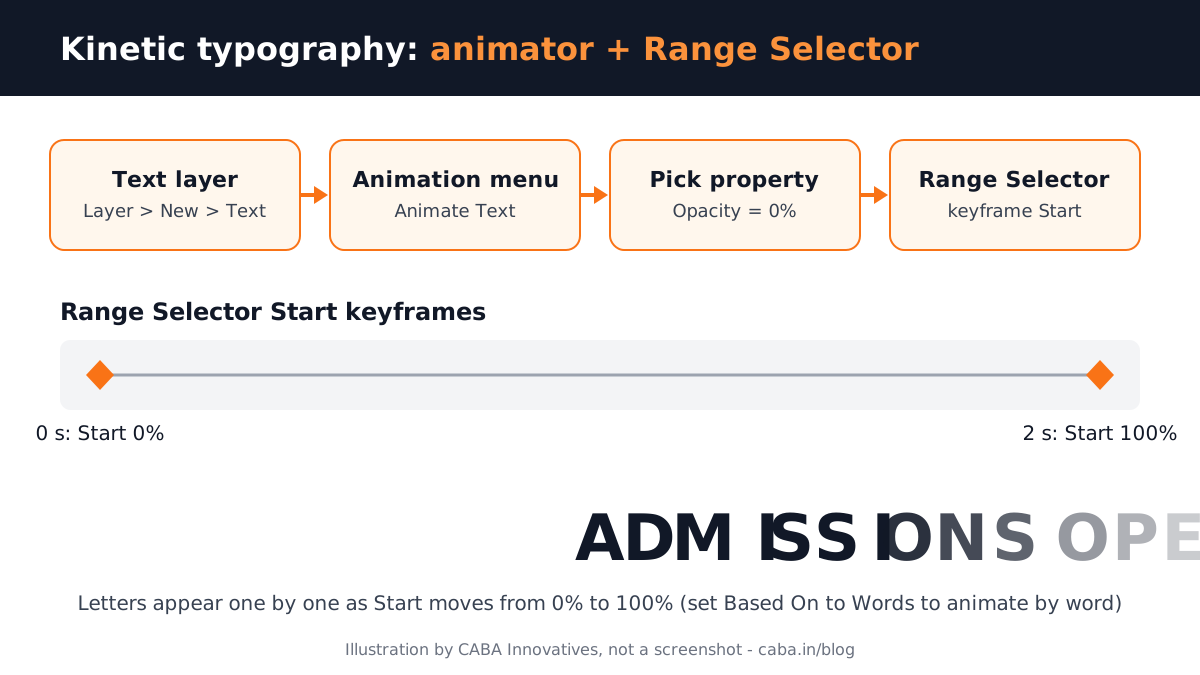
The habit that saves the most time: set the property to its end value inside the animator, then keyframe only the selector. Adobe's own example sets Opacity to 0 and keyframes the selector's End from 0% to 100%, which changes the opacity character by character from first to last[1]. Keyframe Start from 0% to 100% instead and the text is revealed letter by letter, left to right.
Your First Kinetic Typography Project, Step by Step
- 1Pick a 10 to 15 second voice line
Record your own line or use a client's script. Short is better while you learn.
- 2Set up the composition
1080 x 1920 for a Reel or 1920 x 1080 for YouTube, 25 or 30 fps. Import the audio and press L twice on the audio layer to see the waveform.
- 3Mark the words
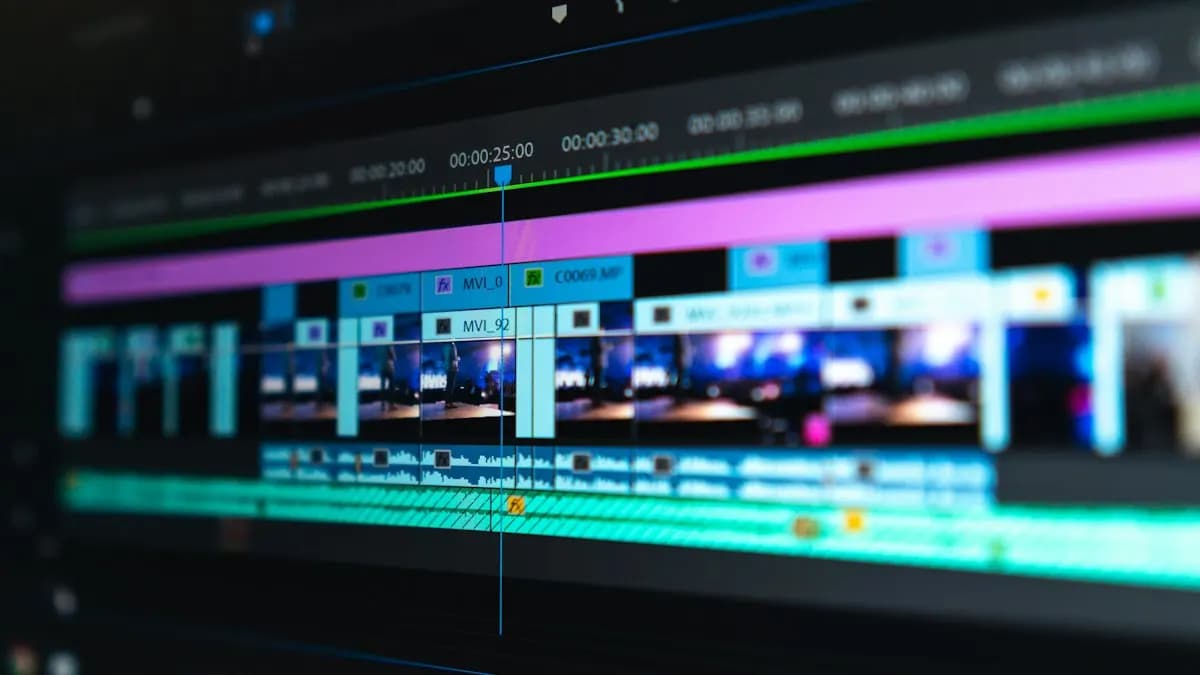
Play the audio and add a marker on each important word. These markers are your timing map.
- 4Make one text layer per phrase
Layer > New > Text. Keep one phrase per layer so you can move each phrase to its marker.
- 5Add the animator
Animation > Animate Text > Scale (or Position). Set the start look in the animator, for example Scale 0%, then keyframe the Range Selector's Start from 0% to 100% so words grow in one after another.
- 6Ease and blur
Select the keyframes and apply Easy Ease (F9). Turn on motion blur for the text layers so fast moves look smooth.
- 7Export
Render with H.264 and check it on a phone. Our After Effects settings for Instagram Reels guide covers the export.
Worked Example: An Admission Reel for a Coaching Centre
Say a coaching centre in Laxmi Nagar wants a 12-second Reel: "Admissions open. New batch from Monday. Book your free demo class." Here is how a motion designer would plan it:
| Seconds | Text on screen | Animation |
|---|---|---|
| 0 to 2 | ADMISSIONS | Scale up word by word, Based On Words |
| 2 to 3.5 | OPEN | Drops in with Position animator and a small bounce |
| 3.5 to 7 | New batch from Monday | Slides in by words, Offset keyframes |
| 7 to 10 | Book your free demo class | Tracking opens out, then settles |
| 10 to 12 | Logo and phone number | Simple fade, held for reading |
Notice the last row: the phone number stays still long enough to read. Clients judge the Reel on whether people call, not on how many effects it has.
Portfolio Projects in Kinetic Typography
- A lyric-free music beat edit. 15 seconds of short words timed to a royalty-free beat, showing Wiggly selector control.
- A brand offer Reel. Vertical, with prices and phone number, like the coaching centre example.
- An explainer quote. 30 seconds of a voice-over where key words scale or change colour as they are spoken.
Add these to your logo work from logo animation in After Effects and you have a small, focused motion reel.
Do Employers Ask for Text Animation Skills?
From Internshala's fresher listings for Delhi NCR viewed on 23 October 2026, in our own words (company names left out)[2]:
- Junior motion graphics specialist, Delhi (no experience required). Edit videos and create animation. Skills listed: Photoshop, video editing, Animate, After Effects and Canva. Pay shown: ₹2 to 2.2 lakh a year.
- Graphic designer, Gurgaon (no experience required). Branding and layout work plus video. Skills listed include Photoshop, Illustrator, Premiere Pro and After Effects. Pay shown: ₹3.6 to 4.2 lakh a year.
- Visual artist associate, Gurgaon (no experience required). Develop visual concepts from briefs. Skills listed include Illustrator, After Effects, Figma and MidJourney. Pay shown: ₹4.5 to 5 lakh a year.
Motion graphics pay grows quickly with experience. Our students typically start at ₹15,000 to ₹18,000 a month, reach ₹22,000 to ₹25,000 after six months, ₹28,000 to ₹32,000 after a year and ₹40,000 to ₹45,000 or more at about three years. Read is motion graphics a good career for the longer path.
AI and Agentic AI in Text Animation Today
Motion designers use AI around the type, not instead of it: ChatGPT or Claude to shorten a script into punchy screen lines, Premiere Pro's speech-to-text to get word timings and AI image tools for background textures. Adobe has also shown an AI assistant for After Effects in private beta. What the human still decides is the rhythm, the font, the hierarchy of words and whether the final piece reads clearly on a phone. CABA's courses now teach AI and agentic AI workflows inside the curriculum, with a human check on every output.
One honest note: CABA's motion graphics course does not teach 3D software such as Blender, Cinema 4D or Maya. Where 3D is needed, students create 3D elements with AI tools, animate them in After Effects and use them in Premiere Pro.
Why 1-to-1 Training Helps With Kinetic Typography
Text animation looks simple until the timing feels off and you cannot say why. In a 1-to-1 class a trainer watches your timeline with you and fixes the small things: an ease that is too slow, a word that lands a frame late, a selector set to Characters when it should be Words.
Our motion graphics course in Delhi covers Illustrator, Photoshop, After Effects, Premiere Pro and AI tools over ten months, with typography and brand animation projects for your reel. It comes with a 100% Job Guarantee; read the job guarantee terms. See the semester plan on the motion graphics course page.
Frequently Asked Questions
How do you make kinetic typography in After Effects?
Create a text layer, choose Animation > Animate Text and pick a property such as Scale or Opacity. Set the end value, then keyframe the Range Selector's Start, End or Offset and time each phrase to markers on the audio.
What is the Range Selector in After Effects?
It is the part of a text animator that decides which characters, words or lines are affected and by how much, using Start, End and Offset values.
Is kinetic typography hard to learn?
The basics take a few evenings. Good timing and clean layouts take a few weeks of practice on real scripts.
Do I need plugins for kinetic typography?
No. After Effects text animators, selectors and presets are enough for professional kinetic typography.
Is kinetic typography useful for jobs?
Yes. Brands use moving text in Reels, ads and explainers and motion graphics job posts list After Effects as a core skill.
References
- Animating text in After Effects (updated 30 April 2026)- Adobe Help Center
- Graphic Design Fresher Jobs in Delhi (listings viewed 23 October 2026)- Internshala