What Makes a Good Book Cover Design?
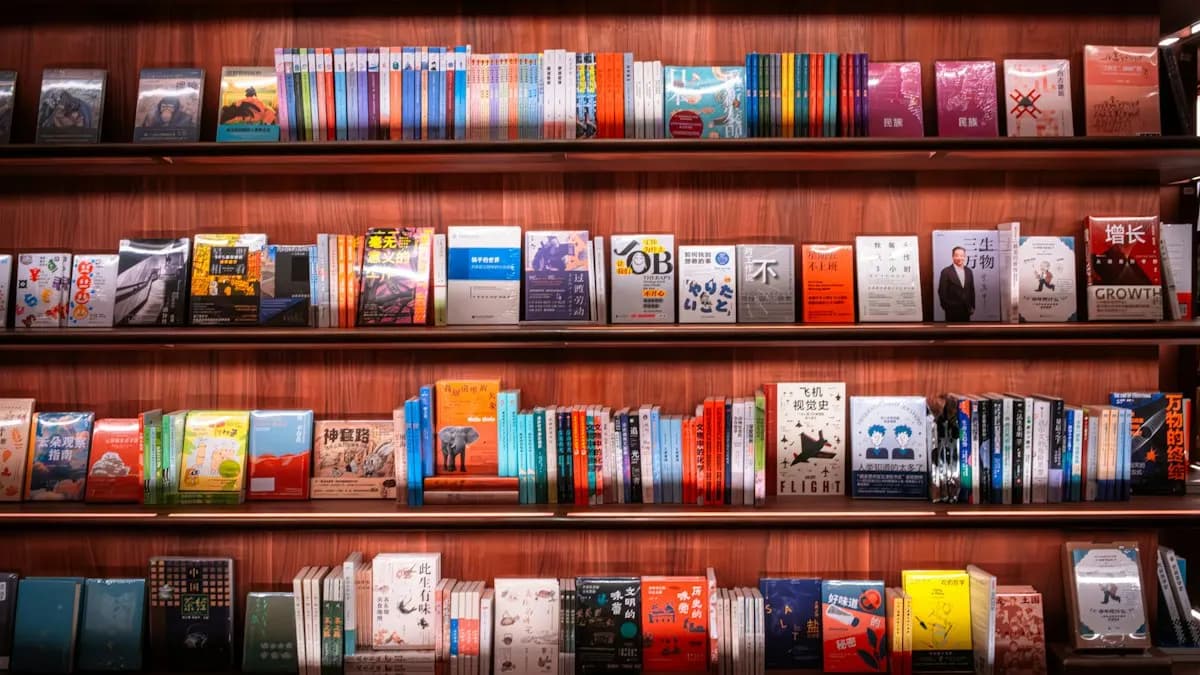
Readers judge a book in two seconds. A cover has to say the genre (thriller, romance, school textbook, business), show the title clearly and look good both on a shelf and as a tiny image on Amazon or Flipkart.
- Genre signals: dark tones and bold type for thrillers, soft colours and script fonts for romance, clean layouts for business and textbooks.
- One strong image or idea, not five small ones fighting for attention.
- Title hierarchy: title first, author name second, tagline third.
- Thumbnail test: shrink the front cover to the size of a fingernail. If the title still reads, it works.
Front, Spine and Back: How a Print Cover Is Built
A paperback cover is one wide file. From left to right it holds the back cover, the spine and the front cover. The back carries the blurb, author photo and barcode area. The spine carries the title and author, but only when the book is thick enough.
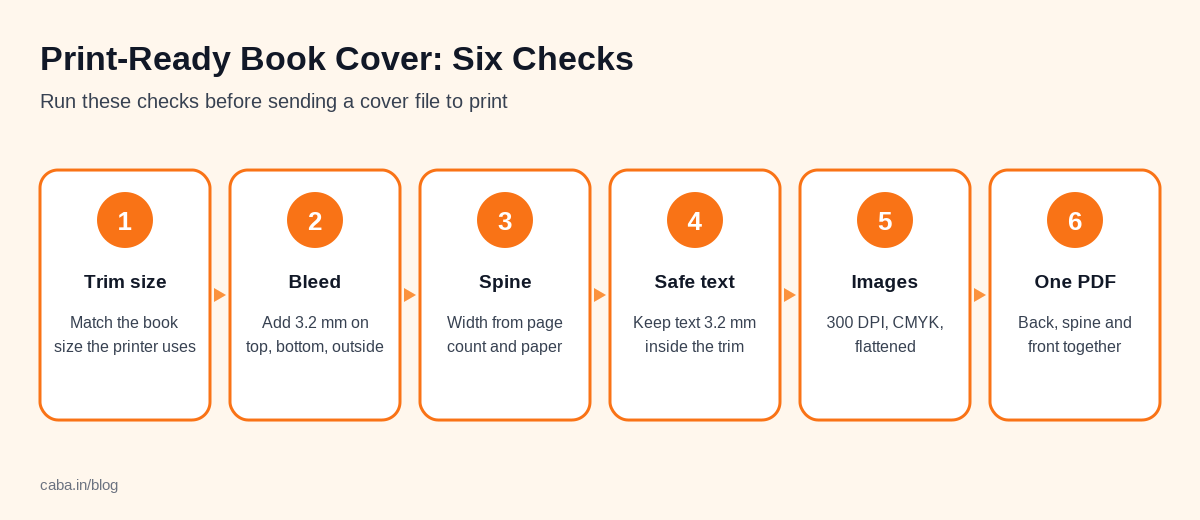
Printers are strict here. Amazon's Kindle Direct Publishing, for example, asks you to add 0.125 inch (3.2 mm) bleed to the top, bottom and outside edges, keep text at least 3.2 mm inside the trim lines, use images at a minimum of 300 DPI in CMYK and send back, spine and front as a single PDF. It also allows spine text only when the book has at least 79 pages[1]. Indian printers follow very similar rules, so always ask for their template first.
Which Software Do Book Cover Designers Use?
| Software | Best for | Note |
|---|---|---|
| Photoshop | Photo-based covers, textures, image clean-up | Keep type in Illustrator or InDesign for sharp print |
| Illustrator | Illustrated covers, title lettering, logos | Vector type stays crisp at any size |
| CorelDRAW | Common in Delhi print shops for full wraps | Export a PDF the printer can check |
| InDesign | Final assembly, spine and back text | Handles bleed and PDF export cleanly |
Our InDesign tips for beginners cover the layout side. Illustrator settings for print and screen explains colour and document setup for print jobs.
Where the Work Comes From in India
- Publishers: Delhi has a large publishing trade, from Daryaganj to Noida, producing trade books, guides and school textbooks every season.
- School-book and coaching publishers: dozens of covers a year for subject series and exam guides.
- Self-publishing authors: first-time writers who publish on Amazon and need a cover plus an ebook version.
- Printing presses: many take full jobs from authors and need a designer in-house. See graphic design for printing press for that route.
Covers also build a strong portfolio. Two or three concept covers for real-style briefs show type, image and print skills in one piece. Similar print thinking is used in graphic design for packaging.

A Simple Book Cover Design Workflow
- 1Read the brief and the blurb
Know the genre, the reader and three books the author likes.
- 2Get the template
Ask the printer or platform for trim size, page count and paper so the spine width is right.
- 3Sketch three concepts
Rough thumbnails first. Pick the one that reads best small.
- 4Build the artwork
Image in Photoshop, title in Illustrator, assembly in InDesign or CorelDRAW.
- 5Proof and export
Check bleed, safe margins, barcode space and spelling, then export one PDF.
AI and Agentic AI in Book Cover Design
Cover designers now use AI image tools such as Adobe Firefly for mood boards and rough concept scenes, Photoshop's Generative Fill to extend a background for the spine and back and AI chat tools to draft blurb layouts or tagline options. Some publishers test AI agents that resize one cover into ebook, audiobook and ad formats.
What the human still decides: the concept, the title lettering, whether an image is original and safe to publish and whether the file meets the printer's rules. CABA's courses now teach AI and agentic AI workflows inside the curriculum, with these checks built in.
Learn Print and Cover Design With Real Briefs
Our graphic design course in Delhi covers Photoshop, Illustrator, InDesign, CorelDRAW and AI tools through real print and digital briefs, including covers, brochures and packaging. It carries a 100% Job Guarantee; read the job guarantee page for what it covers.
See the full plan on the graphic design course with placement page or call 98117 46259 to book a counselling visit at South Extension.
Frequently Asked Questions
What is book cover design?
Creating the front, spine and back of a book as one print-ready file, plus an ebook front cover, so the book shows its genre and title clearly on a shelf and online.
Which software is best for book cover design?
Photoshop for images, Illustrator for title lettering and InDesign or CorelDRAW for final assembly. Most designers use two or three together.
What size should a book cover be?
It depends on the trim size, page count and paper. Get the printer's or platform's template, then add bleed (usually 3 mm) on the outside edges.
Can I use AI images on a book cover?
AI is useful for concepts, but check the tool's commercial terms and the platform's rules. Finish the type and details yourself.
Can I earn from book cover design in India?
Yes. Publishers, school-book companies, printing presses and self-publishing authors all need covers. A portfolio of three strong concept covers helps you get started.
References
- Paperback cover guidelines (checked 26 November 2026)- Kindle Direct Publishing Help