How to Choose Your First Animation Software
Before picking a tool, decide what kind of animation you want to make. 2D character animation, 3D modelling and rendering, motion graphics, and stop-motion all use different software. Starting with the right category saves months of wasted effort.
- 2D frame-by-frame or cut-out animation → Adobe Animate or Toon Boom Harmony
- 3D character animation and modelling → Blender (free) or Autodesk Maya
- Motion graphics and broadcast design → Adobe After Effects
- Mobile and game animation → Spine or DragonBones
- Architectural and product visualisation → 3ds Max or Cinema 4D
Best Free 2D Animation Software for Beginners
- Adobe Animate (30-day free trial) — the industry standard for frame-by-frame 2D animation and interactive media. Used by studios for cartoons, web animation, and game characters.
- OpenToonz (free) — professional-grade 2D animation used by Studio Ghibli and other production houses. Open-source and free forever.
- Pencil2D (free) — a lightweight, beginner-friendly 2D animation app. Good for learning traditional frame-by-frame principles before moving to a more complex tool.
- FlipaClip (free on mobile) — excellent for drawing and animating on a tablet; introduces frame-by-frame animation intuitively.
Best Free 3D Animation Software for Beginners
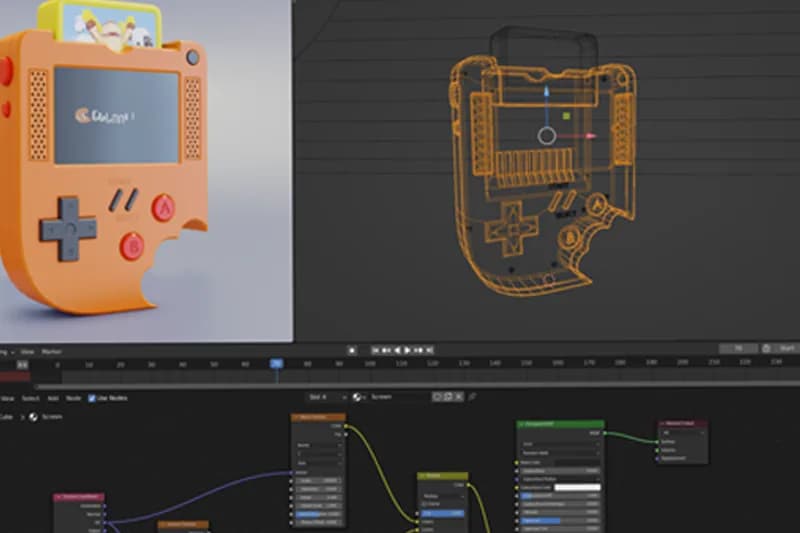
- Blender (free, open-source) — the most powerful free 3D software available. Covers modelling, rigging, animation, rendering, VFX compositing, and even 2D animation with Grease Pencil. Has a large learning community and is now used professionally at studios.
- Daz 3D (free base) — pre-made character models you can pose and animate without 3D modelling experience. Good for visual storytelling and concept work.
- Clara.io (browser-based, free tier) — basic 3D modelling and animation in a web browser. Low barrier to entry but limited for professional use.
Industry-Standard Animation Software (What Employers Use)
| Software | Use Case | Cost |
|---|---|---|
| Autodesk Maya | 3D character animation, VFX, film and TV | Paid (subscription) |
| Toon Boom Harmony | 2D TV and film animation | Paid (subscription) |
| Adobe After Effects | Motion graphics, VFX compositing | Paid (Creative Cloud) |
| Cinema 4D | Motion graphics, 3D product visualisation | Paid (subscription) |
| Blender | 3D animation, VFX, modelling | Free |
| Adobe Animate | 2D web and interactive animation | Paid (Creative Cloud) |
At CABA Innovatives, the BSc Multimedia & Animation Degree covers the industry-standard tools across 2D, 3D, VFX, and motion graphics — so you graduate proficient in what studios and agencies actually hire for.
What to Learn First as a Beginner
Software is a vehicle for principles. Before becoming fast at any tool, learn these fundamentals:
- The 12 principles of animation (Disney's foundational principles — still relevant for every style).
- Timing and spacing — the difference between mechanical and believable movement.
- Staging and composition — where to place the action in the frame for maximum clarity.
- Character and acting — even technical animations benefit from strong performance.
Frequently Asked Questions
Which is the best free animation software for beginners?
Blender is the best free 3D animation software — professional-grade, free forever, and widely used in the industry. For 2D, Pencil2D is a gentle beginner introduction, and OpenToonz is professional-grade once you are ready to go deeper.
Is Adobe Animate good for beginners?
Adobe Animate is the industry standard for 2D web and character animation, but it has a learning curve. It is suitable for beginners who are serious about 2D animation as a career — start with a structured course rather than self-teaching from scratch.
Should I learn Blender or Maya for animation?
Blender is free and has become genuinely professional-grade — a strong choice for students and independent animators. Maya is the standard at high-end VFX studios and film production houses. Many animators learn Blender first and add Maya later if they join a studio that requires it.
How long does it take to learn animation software?
You can learn the basics of any animation software in a few weeks. Becoming proficient enough for professional work — building a portfolio-quality project — typically takes 4–12 months of consistent practice, depending on the complexity of the software and the quality of instruction.
Does CABA Innovatives teach animation software in Delhi?
Yes. The BSc Multimedia & Animation Degree at CABA covers 2D animation, 3D modelling and animation, VFX compositing, motion graphics, and digital filmmaking — using the industry-standard tools in each discipline. The course is at South Extension Part 1, New Delhi.